
Xtream Codes vs M3U: Differences, Setup and Which to Use
When you sign up for an IPTV service, your provider usually gives you two ways to connect: an Xtream Codes login and an M3U playlist link. Both open the same account, but they work in different ways. This Xtream Codes vs M3U guide explains the difference, shows what each login looks like and helps you choose the right one for your player.
You will also learn how to turn an Xtream Codes login into an M3U URL and back again, where to find the programme guide link and how to fix the most common M3U playlist problems.
Please note: IPTVCodeXtream does not sell subscriptions, provide logins or host any streams. Only use services that are authorized to distribute the channels they offer. See our Disclaimer for details.

What is an M3U playlist?
Before you compare Xtream Codes vs M3U, it helps to know what each format is. An M3U playlist is a plain-text file that lists stream addresses, one after another. Each entry usually includes a channel name, a logo, a group such as Sports or News, and the link to the stream itself. The format was created for music playlists and is still supported by almost every media player. You can read more about the format in the M3U article on Wikipedia.
IPTV providers rarely send you the file itself. Instead, they give you an M3U URL: a web address that generates the playlist for your account every time your player opens it.
What an M3U URL looks like
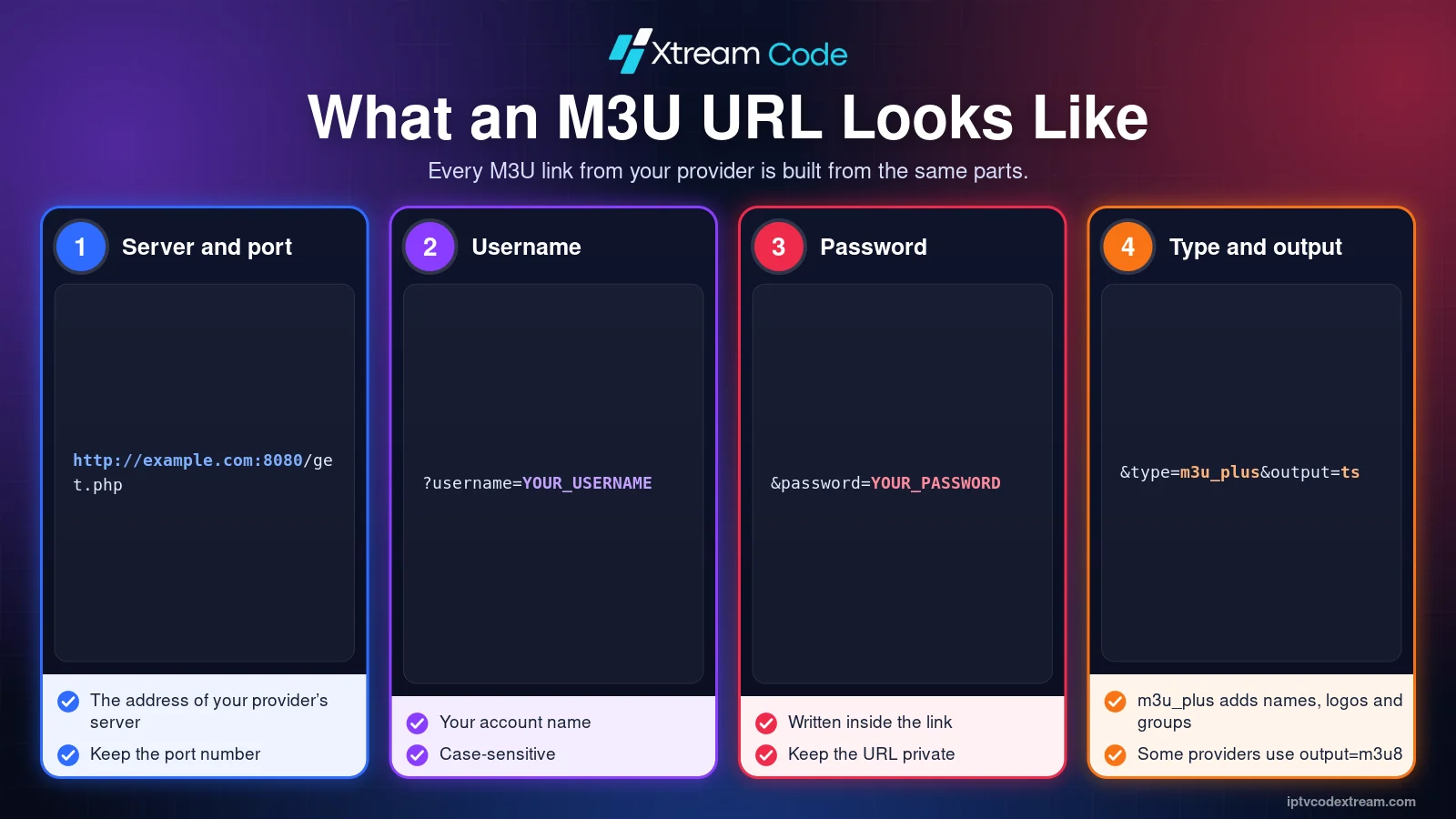
Most providers use a link in this format:
http://example.com:8080/get.php?username=YOUR_USERNAME&password=YOUR_PASSWORD&type=m3u_plus&output=ts
- Server and port:
http://example.com:8080is the address of your provider’s server. - Username and password: your account details are written into the link itself.
- type=m3u_plus: asks for the extended playlist with channel names, logos and groups.
- output=ts: the stream format. Some providers use
output=m3u8instead.
Because the username and password are part of the link, anyone who has your M3U URL can use your account. Keep it private.
What is an Xtream Codes login?
An Xtream Codes login splits the same account details into three separate fields: the Server URL, your Username and your Password. Instead of downloading one big list, the player talks to the provider’s server through the Xtream Codes API and asks for exactly what it needs: your account status, the live TV categories, the channels in each category, movies, series and the programme guide.
That is why players such as IPTV Smarters Pro and TiviMate show separate Live TV, Movies and Series sections when you use an Xtream Codes login. Knowing this makes the Xtream Codes vs M3U choice much easier. If you do not have login details yet, read our guide on how to get a free IPTV Xtream Code through a legitimate trial.
Xtream Codes vs M3U: the key differences
In any Xtream Codes vs M3U comparison, remember that both methods connect to the same subscription, so the channels you are allowed to watch do not change. The differences are in how the player gets the content and what it can show you.
- How it connects: an M3U URL downloads one complete playlist file. An Xtream Codes login asks the server for each section separately through the API.
- Speed: large M3U playlists with thousands of channels and films can load slowly. With Xtream Codes, the player loads sections on demand, which is usually faster.
- Movies and series: an Xtream Codes login returns posters, descriptions, seasons and episodes. In an M3U playlist, films and episodes are often just long lists of links.
- Programme guide: the Xtream Codes API can supply the EPG automatically. With an M3U playlist, you often need to add a separate EPG link.
- Account information: Xtream Codes players can show your expiry date and the number of allowed connections. An M3U playlist cannot.
- Player support: almost every IPTV player and media player accepts an M3U URL. Not every player supports Xtream Codes logins.
Xtream Codes vs M3U: which should you use?
In most cases, an Xtream Codes login is the better choice when your player supports it. It is easier to type, loads faster and gives you a cleaner layout for movies and series. Keep the M3U URL as a backup for players that only accept playlists.
- Use Xtream Codes in players that offer it, such as IPTV Smarters Pro or TiviMate.
- Use the M3U URL in players that only accept playlists, in media players such as VLC, or when you add a playlist on a website, as with IBO Player.
- Use either when your player supports both. If one method gives you errors, try the other before you contact your provider. This simple Xtream Codes vs M3U test solves many login problems.
Whichever you choose, the result of the Xtream Codes vs M3U decision is the same subscription: the number of devices that can watch at the same time is set by your plan, not by the login method.

How to convert between Xtream Codes and M3U
Because both methods use the same account, you can usually build one from the other. This only works if your provider uses the standard format, so check with them if a converted login does not work.
From Xtream Codes to an M3U URL
Take your server URL, username and password and place them in the standard link:
SERVER_URL/get.php?username=USERNAME&password=PASSWORD&type=m3u_plus&output=ts
For example, the server http://example.com:8080 with the username john and the password 1234 becomes http://example.com:8080/get.php?username=john&password=1234&type=m3u_plus&output=ts.
From an M3U URL to Xtream Codes
Read the three details straight from the link. Everything before /get.php is the server URL. The values after username= and password= are your username and password. Enter them in your player’s Xtream Codes login screen.
Find the EPG link
Many providers also offer a programme guide link in this format: SERVER_URL/xmltv.php?username=USERNAME&password=PASSWORD. Add it in your player’s EPG settings if the guide stays empty with an M3U playlist.

Where can you get your IPTV Xtream Codes?
Your Xtream Codes login and M3U URL always come from your IPTV service provider. Installing a player does not create them, because players include no channels.
After you buy a subscription or receive an authorized trial, look for your details in the welcome email, your customer account or messages from your provider. Many providers show both the Xtream Codes login and the M3U URL in the same place, so you can test Xtream Codes vs M3U on your own player. Keep them private, and never share them publicly.
Looking for a provider? Compare your options using the button below.
Common M3U playlist problems and fixes
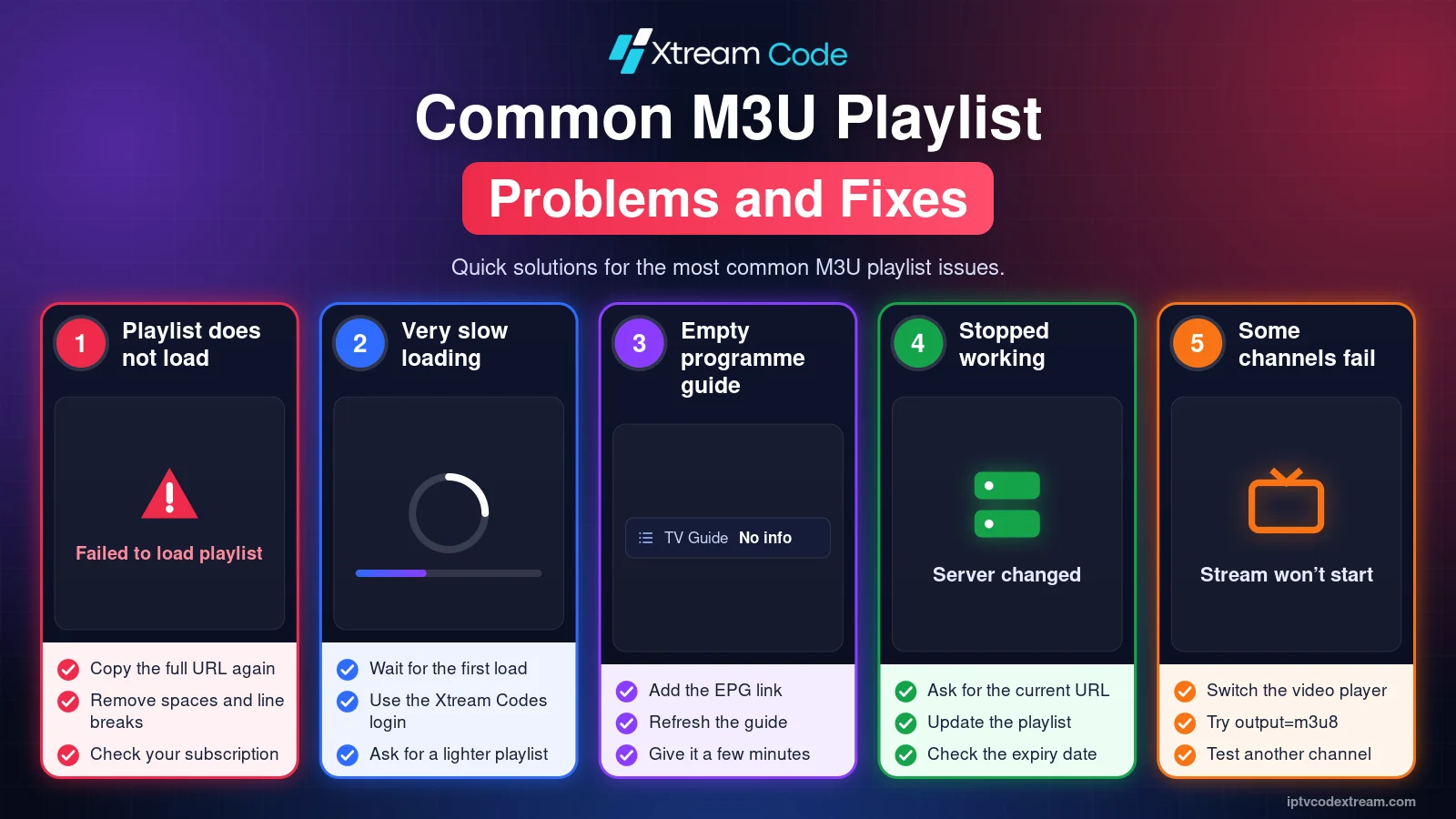
The playlist does not load
Copy the complete M3U URL again, including http:// and the port number. Check that no spaces or line breaks were added when you pasted it, and that your subscription is still active.
The playlist takes very long to load
Large playlists can take several minutes the first time. If your player supports it, switch to the Xtream Codes login instead, or ask your provider for a playlist without movies and series.
The programme guide is empty
Add the EPG link from your provider in the player settings, then refresh the guide. Some players need a few minutes to download it.
Channels stopped working after a while
Your provider may have changed the server address, or your account may have expired. Ask for the current M3U URL and update the playlist in your player.
Some channels do not play
Try another video player in the app settings, or change output=ts to output=m3u8 in the link if your provider supports it.
Set up your playlist on your device
Follow our step-by-step guides for Amazon Firestick, Android, Samsung and LG Smart TVs, iPhone, Apple TV, PC and Mac and Roku. If something goes wrong, read our guide on what to do when your IPTV Xtream Code is not working.
Frequently asked questions
Is an M3U playlist the same as an Xtream Codes login?
No. They usually come from the same account, but an M3U playlist is a single list of links, while an Xtream Codes login lets the player request each section from the server.
Xtream Codes vs M3U: which is faster?
An Xtream Codes login is usually faster, especially with large subscriptions, because the player loads each section only when you open it.
Can I use both on the same account?
Yes. Most providers give you both. Each device you watch on still counts as one connection, whichever method you use.
Can I play an M3U URL in VLC?
Yes. In VLC, choose Open Network Stream and paste the link. VLC plays the channels but has no programme guide or categories.
Why does my provider only give me an M3U URL?
Some services only support playlists. You can still try to read the Xtream Codes details from the link as shown above, but it only works if the provider uses the standard format.
Conclusion
The Xtream Codes vs M3U question comes down to your player. Use the Xtream Codes login whenever it is supported, because it is faster and shows movies, series and the programme guide more neatly. Keep the M3U URL for players and websites that only accept playlists.
Always get your login details from a legitimate, authorized IPTV provider.