
How to Get a Free IPTV Xtream Code Instantly
Looking for a free IPTV Xtream Code you can test right away? The legitimate way to get one is a free trial from an authorized IPTV provider. Many providers send trial login details by email or through your account dashboard shortly after you sign up, sometimes within minutes. However, no free code is guaranteed to be available or to work: each provider decides whether it offers a trial and on what terms.
This guide explains what Xtream Codes login details are, how to request a trial from a legitimate service, how to enter the server URL, username and password in a compatible player, and how to fix the most common connection problems.
Please note: IPTVCodeXtream does not sell subscriptions, provide logins or host any streams. Only use services that are authorized to distribute the channels they offer. See our Disclaimer for details.
What is an IPTV Xtream Code?
An Xtream Code is the common name for a set of login details that IPTV player apps use to connect to a provider’s server through the Xtream Codes API. Instead of loading a single playlist file, the player signs in with three details and then downloads live channels, the electronic programme guide (EPG) and on-demand content, sorted into categories.
The name comes from the original Xtream Codes panel software, which was shut down in 2019. The login format it introduced is still supported by many players and providers today, which is why the term is still widely used. If you are new to the technology behind it, this overview of Internet Protocol television (IPTV) is a good starting point.
The three login details you receive
- Server URL (also called host or portal URL): the address of the provider’s server, usually starting with
http://orhttps://and often followed by a port number, for examplehttp://example.com:8080. - Username: the account name assigned by the provider.
- Password: the password for that account. Both the username and password are usually case-sensitive.
Some providers also send an M3U playlist link. It normally contains the same username and password inside the URL, and you can use it in players that do not support Xtream Codes logins.

How to get a free IPTV Xtream Code trial the legitimate way
Free trials are offered at the discretion of each provider. The steps below describe the usual process; the exact details depend on the service you choose.
Step 1: Choose an authorized provider
Look for a provider that clearly states which content it is licensed to distribute, publishes company and contact details, has terms of service and a privacy policy, and uses a secure checkout. Avoid free code lists shared on forums, social media or so-called code generator sites. Those logins are often stolen, shared without permission, already expired or used to spread malware.
Step 2: Read the trial terms
Before you sign up, check how long the trial lasts, how many devices it allows, whether a payment method is required and whether the trial turns into a paid plan automatically. Many trials allow only one connection for a short period.
Step 3: Request the trial
Trials are usually requested through the provider’s website, customer dashboard, email or support chat. Use an email address you can access, because that is where the login details are normally sent.
Step 4: Receive and store your login details
Some providers issue trial details automatically within minutes, while others review each request manually, which can take longer. When your details arrive, keep them in a private note. Do not share them publicly, because shared logins are usually blocked.
Ready to request a trial from a provider you trust? Use the button below to get started.
How to enter your Xtream Codes login in a compatible player
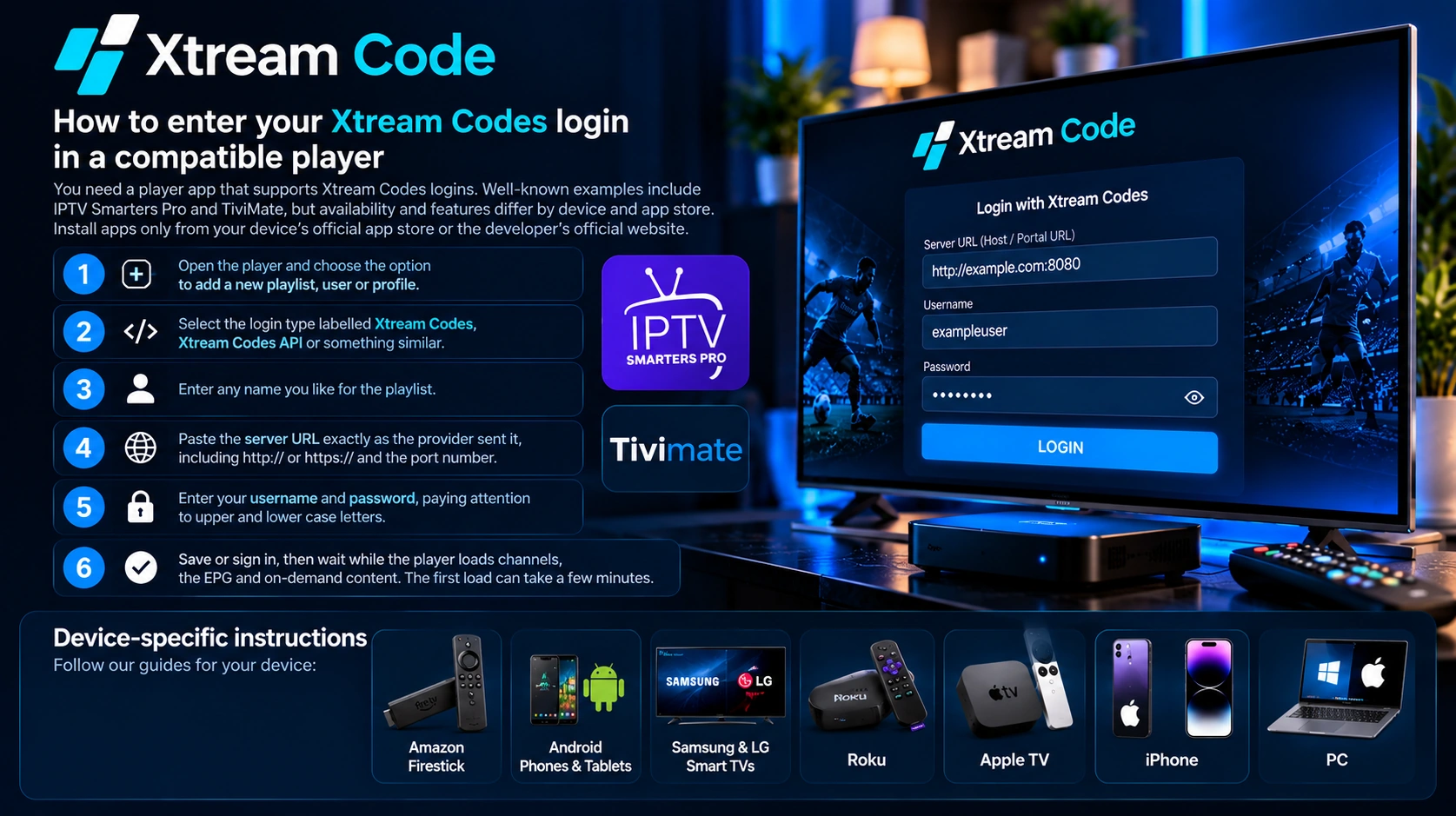
You need a player app that supports Xtream Codes logins. Well-known examples include IPTV Smarters Pro and TiviMate, but availability and features differ by device and app store. Install apps only from your device’s official app store or the developer’s official website.
- Open the player and choose the option to add a new playlist, user or profile.
- Select the login type labelled Xtream Codes, Xtream Codes API or something similar.
- Enter any name you like for the playlist.
- Paste the server URL exactly as the provider sent it, including
http://orhttps://and the port number. - Enter your username and password, paying attention to upper and lower case letters.
- Save or sign in, then wait while the player loads channels, the EPG and on-demand content. The first load can take a few minutes.
For device-specific instructions, follow our guides for Amazon Firestick, Android phones and tablets, Samsung and LG Smart TVs, Roku, Apple TV, iPhone and PC.
Troubleshooting common connection issues
Invalid username or password
Type the details again instead of relying on autocorrect, check for extra spaces at the start or end, and make sure your trial has not expired. If sign-in still fails, ask the provider to confirm that the account is active.
Server not found or unable to connect
Check that the server URL includes http:// or https:// and the correct port, with no extra slash or path unless the provider included one. Confirm your internet connection works and, if possible, test another network, because some networks block certain ports.
Channels load but do not play or keep buffering
Restart the player and your router, try a wired or 5 GHz Wi-Fi connection, and close other apps that use bandwidth. If only some channels buffer, the problem may be on the provider’s side.
Too many connections
Trials often allow only one device at a time. Close the player on your other devices, wait a few minutes and try again.
Empty programme guide (EPG)
Use the player’s option to update or reload the EPG. If the guide stays empty, ask the provider whether EPG data is included in the trial.

How to stay safe when looking for a free IPTV Xtream Code
- Never pay for or download a code generator. Real logins are issued only by the provider that runs the server.
- Avoid logins posted publicly. They may be unauthorized and are frequently blocked.
- Do not install apps from unknown sources, especially ones that ask for unnecessary permissions.
- Check whether the trial needs payment details and whether it renews automatically.
- Be cautious when a huge channel line-up is offered at no cost, as the service may not be licensed.
Frequently asked questions
Is a free IPTV Xtream Code legal?
A trial issued by a provider that is authorized to distribute its channels is legal to use. Codes taken from public lists or generators are often unauthorized, and using them may break the law in your country as well as the provider’s terms.
How long does a free trial last?
It depends on the provider. Trials are usually short, so check the terms before you sign up.
Can I really get an Xtream Code instantly?
Some providers send trial details automatically within minutes, while others approve requests manually. No free code is guaranteed to be available or to work.
What is the difference between an Xtream Code and an M3U link?
An Xtream Code uses a server URL, username and password, and lets the player load channels, the EPG and on-demand content in organized categories. An M3U link is a single playlist URL. Both usually point to the same account.
Which devices can use an Xtream Code?
Most devices that can run a compatible player app, including Fire TV devices, Android phones and TVs, smart TVs, iPhone, Apple TV and computers. App availability varies by device.
Conclusion
The safest way to get a free IPTV Xtream Code is a trial from an authorized provider. Read the trial terms, enter the server URL, username and password exactly as supplied in a compatible player, and use the troubleshooting steps above if the connection fails. If the service suits you, continue with the same provider; if not, simply let the trial expire.